If you wondered how to check your home network to ensure your computer is not used to siphon power for cyberattacks on others, here’s how to find out. June 15th‘s Wall Street Journal reported millions of U.S. home networks are unwittingly hijacked to carry out attacks, with the bad boys mainly gaining entry to your home by riding in via temptingly cheap hardware gadgets and knock-off brands (like video photo picture frames, trick light bulbs, infotainment devices) in “How Millions of Digital Home Devices Are Secretly Powering Cyberattacks.”
The internet intelligence company Spur investigates residential proxy networks and keeps a list of all known internet locations, aka nodes. Spur built a quick-test page that looks at your home network’s IP address—the internet version of a phone number. (Just note: If you’re on a virtual private network, aka VPN for work when you run this, or on Apple’s iCloud Private Relay, turn that off first, then run this test.)
Here’s the link: https://spur.us/context/me
This is my home network:
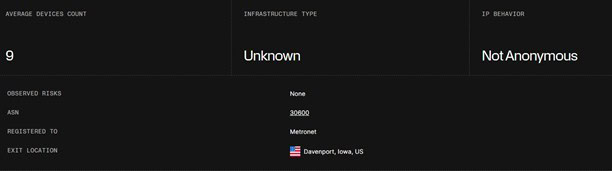
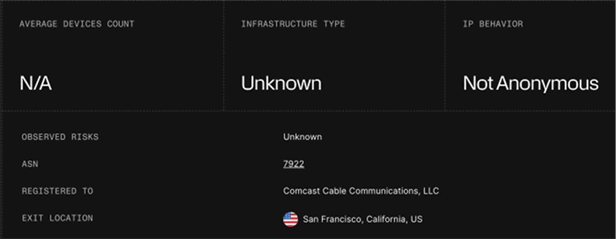
“None” or “unknown” puts you in the all clear, co-founder Riley Kilme of Spur.