Blog & Updates

tech support icon
Archives: Trust Cards
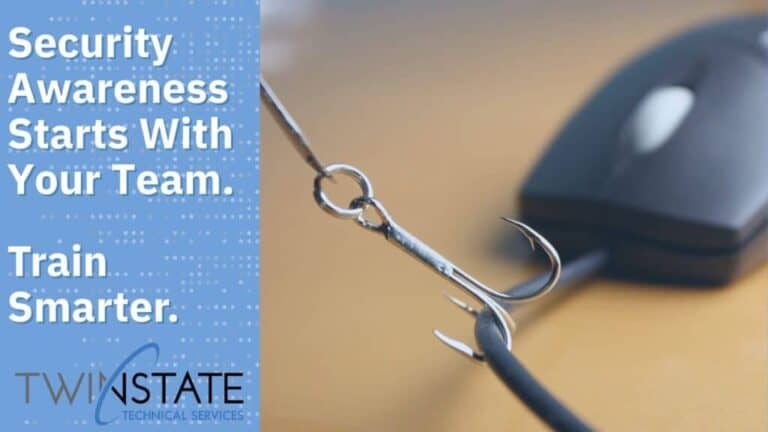
Fishing hook with mouse and computer cable for cybersecurity bait concept.

How Twin State Helps Train Your Team to Outsmart Phishing Attacks 

Cybersecurity threats aren’t just a problem for IT—they’re a business-wide concern. And one of the most common, effective methods attackers use, phishing. Phishing emails are crafted to look legitimate and trick recipients into clicking harmful links, downloading dangerous files, or revealing sensitive information like login credentials, credit card numbers, or employee data. It only takes one mistake to open the door to a major breach.  91% of phishing attempts are via email, typically a Gmail account. But here’s the good news: Most phishing attempts can be identified in 30 seconds or less—if your team knows what to look for. At Twin State Technical Services, we take cybersecurity seriously, and part of our proactive approach includes using KnowBe4, an industry-leading platform for

Read More

Is Your Website Holding You Back? Get a Free Deep-Dive

Spring is here—and it’s not just your closets that could use a refresh. It’s the perfect time to clean up your digital presence and make sure your website is performing at its best.  At Twin State Technical Services, we’re offering free website deep-dives to help you assess and improve your site’s performance. No strings attached—just real value.  What Is a Website Deep-Dive?  A website audit (or deep-dive) is a comprehensive check-up of your site’s overall health and performance. Think of it as a multi-point inspection for your most important marketing and sales tool. Our team evaluates:  Why You Need a Website Audit Your website is often the first impression people have of your business—and first impressions matter. A slow, confusing,

Read More

How to Know it’s Time to Revamp Your Website

Your website is often the first impression customers have of your business—so is it working for you or against you? Websites are one of the most used tools to help your business grow! If your site is outdated, slow, or difficult to navigate, it might be time for a refresh. Here are some key signs that your website could use an upgrade:  1. Your Design Feels Outdated  A sleek, modern website not only builds trust but also keeps visitors engaged. If your site looks outdated, potential customers may question whether your business is keeping up with the times. A well-executed redesign can enhance professionalism, improve user experience, and ensure your brand stays relevant.  2. It’s Not Mobile-Friendly  With more than

Read More

The Power Of SEO: Why it is Essential for Your Business

In today’s digital-first world, your website is often the first impression potential customers have of your business. But what if they can’t find it? That’s where Search Engine Optimization (SEO) comes in. SEO isn’t just about ranking higher on Google—it’s about improving visibility, credibility, and user experience to drive real business growth. Why SEO Matters Increased VisibilityNearly 50 percent of users click the first organic result they see in a search. A well-optimized website increases your chances of landing at the top of search engine results, making it easier for customers to find you before your competitors. Better User ExperienceSEO is more than just keywords—it ensures your website is fast, mobile-friendly, and easy to navigate. Google prioritizes user experience, so

Read More

AI: Your New Helping Hand in Business & Beyond

In today’s fast-paced digital world, businesses are always looking for ways to work smarter, not harder. Artificial Intelligence (AI) is no longer just a futuristic concept—it’s an essential tool that can enhance productivity, automate tasks, and provide valuable insights. At Twin State Technical Services, we’re helping businesses leverage AI effectively, ensuring they stay competitive while maintaining efficiency and security. Unlocking Productivity with AI AI is transforming the way businesses operate by handling time-consuming tasks, allowing teams to focus on more strategic initiatives. Whether it’s automating emails, generating reports, or scheduling meetings, AI-powered tools streamline workflows and reduce manual work. For example, AI-driven chatbots can provide instant customer support, reducing response times and improving customer satisfaction. Smart automation can also optimize

Read More

Kick Off 2025 with a Secure IT Reset: A Fresh Start for Your Business

The start of a new year is the perfect time to reflect, reassess, and renew—and your IT systems deserve the same treatment. Cybersecurity is an ongoing journey, but the beginning of 2025 offers a unique opportunity to tighten your defenses and prepare for the year ahead. Here’s how to give your IT infrastructure the reset it needs: Review Security Protocols When was the last time you updated your security policies? Are your employees clear on how to report potential threats or handle sensitive information? Take time to review and refine your protocols. Hold team meetings or create easy-to-understand guides that align everyone on your security expectations. Test Backups Data backups are like safety nets—they’re only effective if they’re reliable. Regularly

Read More

2025’s Biggest Cybersecurity Threats: What to Watch and How to Defend

As we step into 2025, the cybersecurity landscape continues to evolve, bringing new challenges and opportunities. Cybercriminals are becoming more sophisticated, and no organization—big or small—is immune. However, with the right strategies in place, you can turn potential threats into manageable risks. Here’s what you need to know and do to stay ahead: 1.Regurarly Update software and Systems Think of outdated software as an open window in an otherwise secure building. Hackers are constantly scanning for vulnerabilities, and unpatched systems make their job easy. Ensure all operating systems, applications, and firmware are updated regularly. Automating updates where possible saves time and reduces the chance of human oversight. Implement Multi-Factor Authentication (MFA) Passwords are no longer your first and last line

Read More

End Of Year Data Backups-Why They are a Must not a Maybe

As 2024 comes to a close, it’s the perfect time to review your data backup strategy and ensure your business is prepared for the unexpected. In today’s digital world, data is the backbone of operations. Losing it—whether due to ransomware, hardware failure, or human error—can disrupt business, damage your reputation, and hurt your bottom line. A strong backup plan ensures that you can quickly restore critical files and minimize downtime. Without reliable backups, your business risks prolonged interruptions, lost revenue, and costly recovery efforts. Why Reliable Backups Matter Data backups act as your safety net, protecting everything from customer details to operational records. But having a backup isn’t enough—it must be consistent, secure, and ready to restore in an emergency.

Read More

Holiday Shopping Cybersecurity Checklist

As Black Friday and Cyber Monday approach, the excitement of snagging great deals can be overshadowed by cybersecurity risks. With a surge in online shopping, it’s crucial to protect yourself from potential threats. To help you shop safely this holiday season, here’s a checklist to ensure your personal and payment information stays secure while you hunt for the best bargains. Stick to Secure Sites When you’re browsing for that perfect gift, make sure it’s on a trusted site. Look for URLs that begin with “https” and show a padlock icon in the browser bar—this indicates SSL certification, ensuring your data is encrypted and safe. Avoid Public Wi-Fi for Purchases Shopping on public Wi-Fi can leave your data exposed. Use a

Read More

Secure Your Home Office: Best Practices for Work-from-Home Security

As remote work becomes more common, it’s essential to keep your home office both productive and secure. Whether you’re a full-time remote employee or occasionally working from home, following a few best practices can help ensure the safety of your data, your company’s information, and your work experience. Here are some tips to help you stay secure and efficient while working remotely. Security First Protecting your devices and internet connection is the foundation of work-from-home security. Take these steps to safeguard your home network: Use Strong Wi-Fi Encryption: Make sure your Wi-Fi network is encrypted (WPA3 is the most secure standard) and that you’re using a strong, unique password. Avoid using the default passwords that come with routers. Secure Your

Read More

Need IT Support That Moves As Fast As You Do?

Whether you’re cleaning up tech chaos or scaling for growth, we’ll help you build a strategy that fits your business and your budget. Let’s start with a conversation.

No pitch. No fluff. Just clarity, confidence, and a plan built around you.

chart and clouds
Newsletter signup

SIGN UP FOR OUR TECH TALK eNEWSLETTER

Bite-sized Tech Wisdom.
Zero Geek Speak

Once a month, we break down what’s new, what’s next, and what actually matters in IT – no jargon, no fluff, just practical insights you can put to work.

newsletter airplane
Newsletter Step 1

Learn how AI is shaping the cybersecurity landscape. Join our breakfast seminar on Oct 13th.

Unlock the Full Potential of Microsoft Teams with Copilot and Facilitator - Webinar Aug 13 & 20

Scroll to Top